Blog

WebCare360 Blogs

H265 icon

Offshore Dedicated Servers

Check HEVC Playback Support on Ubuntu

WebCare360 Editorial Team

HEVC playback on Ubuntu depends on the player, its decoder plugins and the video profile. Installing one package does not guarantee that every player or every H.265 file will work. Start by identifying the application and the actual playback error.


Python logo

Offshore Hosting

Create and Verify a Python App with cPanel Python Selector

WebCare360 Editorial Team

If your hosting account provides CloudLinux Python Selector, its Setup Python App interface can register a Python web application with Passenger. Confirm that feature and a compatible runtime before uploading an application; ordinary cPanel access does not establish that Python hosting is included.

to do list icon with clock

Dmca Ignore Hosting

Create and Verify a Cron Job in cPanel

WebCare360 Editorial Team

Use cPanel's Cron Jobs interface to schedule an application command only after confirming that the command works under your hosting account. Saving a schedule does not prove that the task completed successfully.

redis icon

Offshore Dedicated Servers

Redis on CentOS 7: Plan a Supported Replacement

WebCare360 Editorial Team

CentOS Linux 7 reached end of life on 30 June 2024. Do not use this article's former Redis 3.2 installation transcript as a new production deployment recipe. For an existing CentOS 7 Redis service, first identify its application role, preserve recoverable data and plan a tested move to a supported operating system and Redis version.

cpanel icon

Offshore Dedicated Servers

Installing cPanel & WHM: Prerequisites and Verification

WebCare360 Editorial Team

Install cPanel & WHM only on a fresh, supported server after checking the current vendor requirements. It is a server-administration operation requiring root access, not an application to add to an existing shared-hosting account.

virtualization server

Offshore Hosting

KVM, Xen and OpenVZ: Check Guest and Kernel Requirements

WebCare360 Editorial Team

KVM, Xen and OpenVZ describe virtualization technologies, not comparable hosting plans by themselves. First determine whether the offered instance is a virtual machine or an operating-system container, then check kernel control, guest support, resource policy and recovery access. The technology name alone cannot rank performance, privacy or reliability.

cpanel with cloudflare

Dmca Ignore Hosting

Cloudflare cPanel Plugin: Deprecated Integration and Current Access

WebCare360 Editorial Team

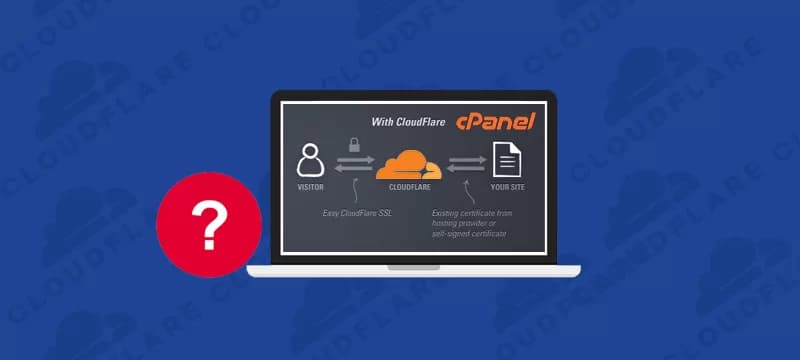
The old Cloudflare cPanel plugin is deprecated. If you cannot find its icon or its activation screen fails, do not assume that your hosting account is broken or try to reinstall the legacy plugin from an old tutorial.

cpanel web disk image

Dmca Ignore Hosting

Connect to cPanel Web Disk with Scoped, Encrypted Access

WebCare360 Editorial Team

cPanel Web Disk provides WebDAV access to files in a hosting account. Use an encrypted connection and an account limited to the required directory. A main cPanel login can expose much more of the account than a collaborator needs.

Folder icon

Dmca Ignore Hosting

Upload Website Files with cPanel File Manager

WebCare360 Editorial Team

cPanel File Manager lets you upload files through the browser. The important first step is choosing the correct domain and destination directory: an upload can overwrite a live file or expose a private file if its location is wrong.

how to repair mysql database using php myadmin

Offshore Hosting

Database Repair in phpMyAdmin: Check the Storage Engine First

WebCare360 Editorial Team

A database error does not automatically mean that its tables need repair. Before using phpMyAdmin's repair action, identify the affected table, database engine and reported error. A connection failure, wrong password or full filesystem requires a different response.

how-to-step

Dmca Ignore Hosting

Set Up a Website on Cloudflare: DNS and Verification

WebCare360 Editorial Team

Adding a website to Cloudflare changes how its DNS is managed and, for proxied records, how web requests reach the origin. Prepare the existing records and a recovery plan before changing nameservers; an active zone alone does not prove that the website and email work.

cron job

Dmca Ignore Hosting

Cron Jobs Explained: Schedules, Execution and Completion

WebCare360 Editorial Team

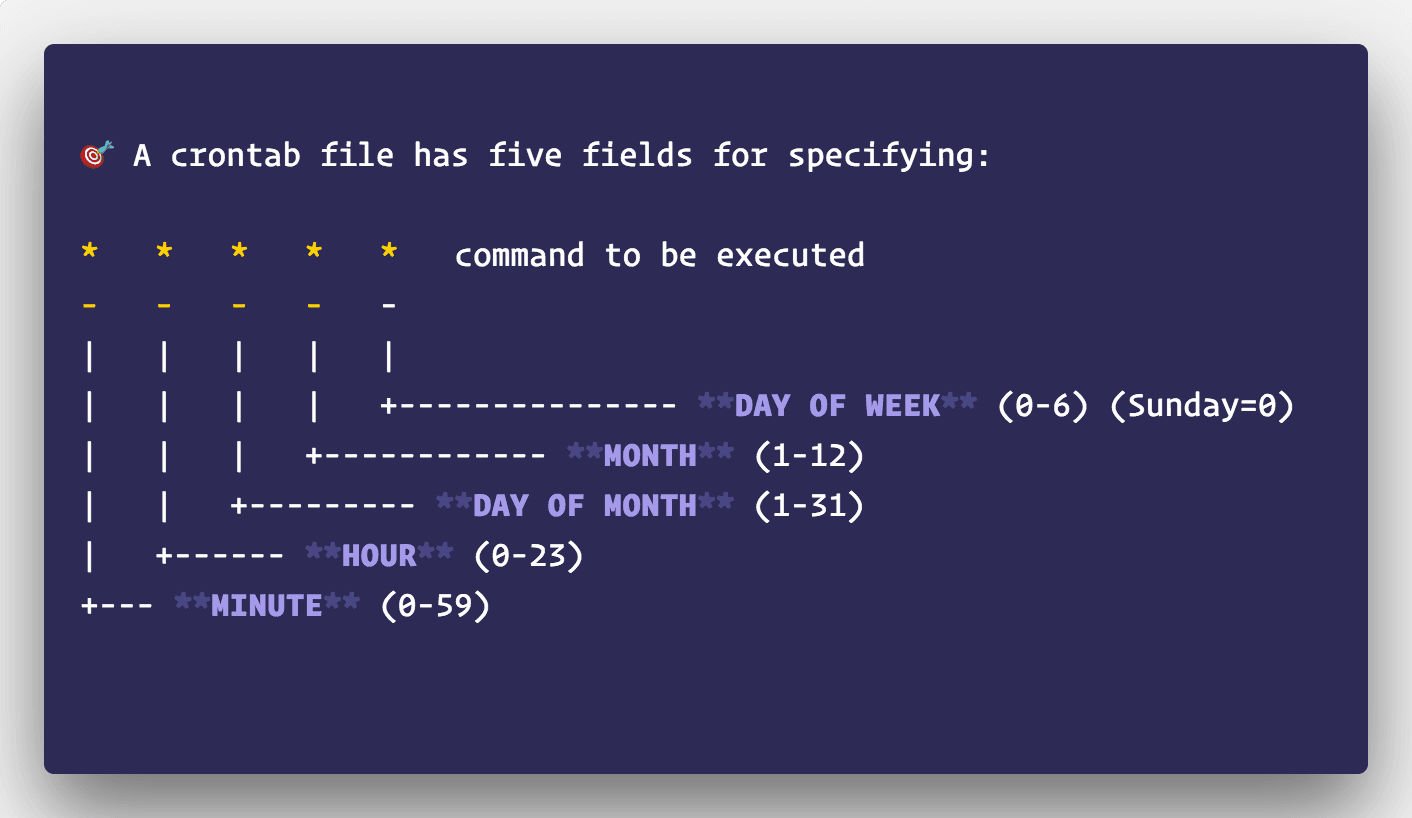
A cron job is a command scheduled to start at specified times on a Unix-like system. It is useful for recurring work such as application housekeeping, but a schedule is not a queue, a backup policy or a guarantee that the command succeeds.