[language-switcher]
[language-switcher]

Ukraine Hosting Recovery After Kyiv Data Center Disruptions | WebCare360

by Olivia Hefner

Ukraine Hosting Recovery After Kyiv Data Center Disruptions

Recent disruptions affecting data center and network infrastructure in Kyiv have left some businesses facing an urgent question: how do you restore websites, applications, databases and online services when the original server environment is unavailable?

For production workloads, waiting without a clear recovery timeline may not be practical. A business can begin Ukraine hosting recovery by preparing replacement infrastructure in another European location, rebuilding the required server environment and migrating or restoring data whenever a source server or usable backup is available.

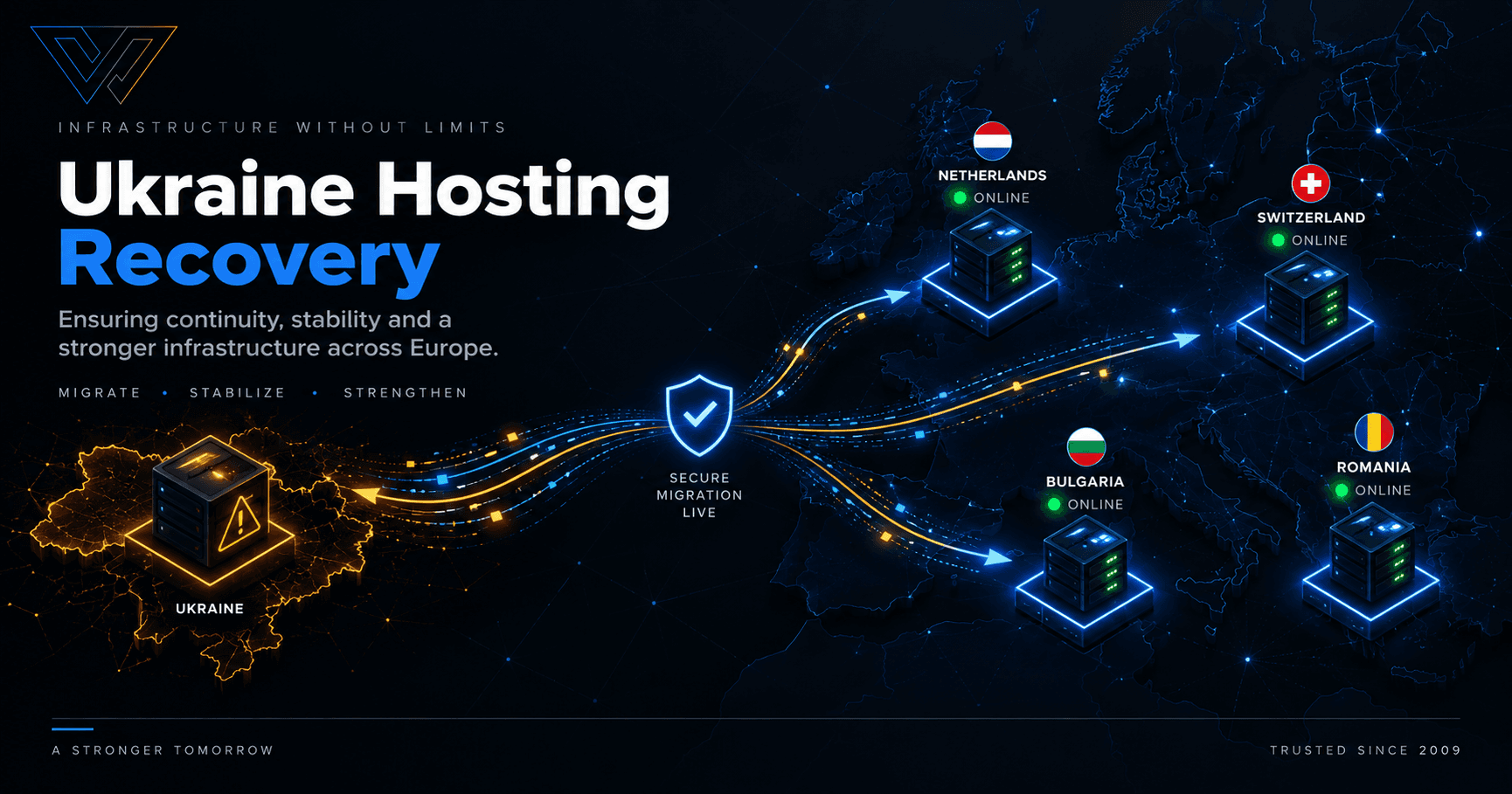
WebCare360 is assisting affected customers with dedicated servers, VPS, Linux and Windows environments, streaming infrastructure, storage servers, offshore hosting and AI/GPU systems across the Netherlands, Switzerland, Bulgaria and Romania.

If you need replacement infrastructure now, visit our Ukraine Hosting Recovery and Emergency Server Migration page or submit a recovery ticket.

Recent Data Center Disruptions in Kyiv

Several infrastructure incidents in Kyiv have affected data center availability, power, connectivity and wider network services. Public reporting has referenced facilities including De Novo, UA2.IEV and MiroHost in connection with recent disruptions.

The effects have differed between facilities. In some cases, infrastructure became unavailable or had to be powered down. In others, physical damage or wider connectivity problems affected the ability of customers to reach hosted services.

For hosting customers, the most important point is that a server does not need to be physically damaged for a service to become unavailable. A production environment can also be interrupted by:

  • Loss of facility power
  • Network or upstream connectivity failures
  • Routing disruption
  • Restricted physical access to the facility
  • Unavailable supporting infrastructure
  • Extended or uncertain restoration timelines

That is why effective disaster recovery needs to consider the entire hosting environment, not only the physical server.

What Is Ukraine Hosting Recovery?

Ukraine hosting recovery is the process of restoring an affected website, application, server or online service on replacement infrastructure when the original hosting environment is unavailable or disrupted.

Depending on the situation, recovery may involve:

  • Provisioning a replacement dedicated server
  • Deploying a replacement VPS
  • Reinstalling Linux or Windows Server
  • Restoring websites and databases from backup
  • Migrating files from an accessible source server
  • Rebuilding a clean hosting environment
  • Replacing storage infrastructure
  • Moving streaming or media workloads
  • Recreating application or SaaS environments
  • Deploying GPU infrastructure for AI or compute workloads

The replacement server does not always need to be identical to the original system. The goal is to reproduce the resources, software environment, storage and network capacity that the workload actually requires.

What Should You Do If Your Server in Ukraine Is Unavailable?

If your server is currently unreachable, start by collecting whatever information you still have about the previous service.

Useful information includes:

  • CPU model or approximate number of required cores
  • RAM capacity
  • HDD, SSD or NVMe storage size
  • Linux distribution or Windows Server version
  • Whether the service was a dedicated server or VPS
  • Port speed
  • Approximate monthly traffic usage
  • Number of required IP addresses
  • Control panel or application stack
  • DDoS protection requirements
  • Preferred replacement location
  • Whether the original server or a backup remains accessible

You do not need to know every specification before contacting us. An old invoice, server specification, screenshot or basic description of the workload can often provide enough information for our technical team to begin identifying replacement infrastructure.

Ukraine Server Recovery Without Rebuilding Everything From Scratch

Ukraine server recovery should focus on restoring the workload rather than blindly reproducing old hardware.

For example, a server that originally used an older multi-core processor may be replaceable with newer hardware offering comparable or better performance. A storage-heavy workload may need large disk capacity but relatively modest CPU resources. A streaming platform may depend more heavily on bandwidth than on processor speed.

WebCare360 can review the available information about the affected environment and help identify a practical replacement based on:

  • CPU performance
  • RAM requirements
  • Storage capacity and I/O performance
  • Linux or Windows requirements
  • Expected network traffic
  • DDoS protection requirements
  • Preferred jurisdiction
  • Application or workload type

Ukraine Server Migration to Alternative European Locations

Ukraine server migration does not require the replacement environment to remain in Ukraine. Affected workloads can be moved to alternative European infrastructure when business continuity is the priority.

WebCare360 is currently using recovery options across the Netherlands, Switzerland, Bulgaria and Romania.

Netherlands

The Netherlands is a flexible option for dedicated servers, VPS, streaming, storage, SaaS platforms and other bandwidth-intensive workloads.

Customers considering this location can review our Netherlands dedicated servers.

Switzerland

Switzerland provides a European location outside the European Union and may suit customers who prefer Swiss jurisdiction or require an alternative regulatory environment.

Available server, network and storage configurations depend on current inventory and should be confirmed before migration.

Bulgaria

Bulgaria can support dedicated servers, VPS, media applications and regional workloads requiring infrastructure in Southeast Europe.

See our Bulgaria dedicated servers for additional information.

Romania

Romania provides another EU-based recovery option for Linux, Windows Server, storage, streaming and general-purpose dedicated or VPS workloads.

Explore our Romania dedicated servers.

Ukraine Dedicated Server Replacement

A Ukraine dedicated server replacement is often the most appropriate option when an affected workload requires predictable CPU resources, substantial RAM, large storage capacity, higher bandwidth or full administrative control.

Replacement dedicated servers can support:

  • High-traffic websites
  • Business applications
  • Databases
  • SaaS platforms
  • Hosting environments
  • Streaming and media delivery
  • File storage and backup
  • Virtualization
  • Game servers
  • Custom application stacks
  • AI and GPU workloads

Rather than forcing affected customers into a fixed package, WebCare360 can review the previous configuration and help identify the closest practical replacement.

Customers seeking cost-conscious bare-metal options can also review our offshore dedicated server deals.

Ukraine VPS Migration

Not every affected workload needs a complete bare-metal server.

Ukraine VPS migration may be suitable for websites, smaller databases, administrative environments, development systems, application servers, control panels and Windows RDP workloads.

If the source VPS remains accessible, files and databases may be transferred directly to the replacement environment.

If the original VPS cannot be reached, a clean replacement VPS can still be deployed so restoration can begin from an available backup.

Important factors when replacing a VPS include:

  • vCPU allocation
  • RAM
  • Storage size
  • Storage performance
  • Linux or Windows Server
  • Bandwidth
  • IP requirements

Windows Server and RDP Recovery

Some affected customers depend on Microsoft Windows rather than Linux.

Compatible dedicated servers and VPS can be deployed with Windows Server for workloads such as:

  • Remote Desktop Protocol (RDP)
  • Remote business applications
  • Microsoft-based software
  • Automation platforms
  • Administrative environments
  • Custom Windows applications

Include the required Windows Server version and any application dependencies when submitting your recovery request. Licensing and hardware compatibility are confirmed before provisioning.

Recovery for Video Streaming, IPTV and Media Workloads

Streaming infrastructure should not be recovered in the same way as a normal website.

For lawful video streaming, VOD, IPTV-related services and media delivery, the network can be just as important as the server hardware.

Useful information includes:

  • Previous port speed
  • Average sustained bandwidth
  • Peak traffic
  • Monthly transfer volume
  • Approximate concurrent usage
  • Storage requirements

WebCare360 can review replacement infrastructure for bandwidth-intensive applications according to current location and network availability.

See our dedicated servers for video streaming for additional information.

File Storage, Backup and Archive Server Recovery

Some disrupted servers are used primarily for data rather than applications.

WebCare360 can provide replacement storage infrastructure for:

  • File hosting
  • Backup repositories
  • Media libraries
  • Archives
  • Synchronization
  • Large data repositories

HDD-based systems may be appropriate where total capacity is the priority, while SSD or NVMe configurations may be more appropriate where application or database I/O performance matters.

The correct storage configuration depends on required capacity, performance and current hardware inventory.

AI, GPU and Compute Workload Recovery

GPU-equipped infrastructure can also be reviewed for businesses that need to recover compute-intensive workloads.

Typical use cases include:

  • AI inference
  • Machine learning
  • LLM workloads
  • Rendering
  • Parallel processing
  • Other GPU-accelerated applications

When requesting GPU infrastructure, provide the preferred GPU model, VRAM requirement, number of GPUs, CPU and RAM requirements, and a short description of the workload.

GPU inventory can change more frequently than standard server hardware, so exact availability is confirmed before deployment.

DDoS Protection After a Server Migration

Infrastructure recovery is also a good opportunity to review whether your workload requires network-level protection.

DDoS-protected infrastructure is available on selected WebCare360 networks and services. The exact mitigation capacity, filtering capabilities and protection level depend on the chosen location and service configuration.

This may be especially relevant for:

  • Streaming platforms
  • Game servers
  • Public APIs
  • High-traffic websites
  • Other internet-facing applications

For more information, see our DDoS protected hosting options.

Offshore and Privacy-Focused Hosting Options

Some affected workloads may also have jurisdiction or privacy requirements.

WebCare360 provides offshore and privacy-focused hosting options for lawful projects. What is sometimes described in the hosting industry as “DMCA ignored hosting” should not be interpreted as a guarantee that every legal or abuse request will automatically be disregarded.

Abuse and takedown requests are handled according to the applicable jurisdiction, local law and WebCare360 hosting policies.

If jurisdiction is important to your project, include that requirement in your recovery request so an appropriate location can be considered.

What If the Original Server Cannot Be Accessed?

An inaccessible source server does not prevent you from beginning the recovery process.

WebCare360 can prepare a clean replacement environment based on whatever information is available.

This may include:

  • Installing Linux or Windows Server
  • Preparing disk partitions and storage
  • Configuring network connectivity
  • Installing a hosting control panel
  • Preparing a web or application stack
  • Creating database services
  • Preparing the server to receive restored data

Once the original system, external backup or another copy of the data becomes available, restoration can continue without waiting for the replacement infrastructure to be built from scratch.

What If a Backup Is Available?

If you have a current backup, recovery can usually focus on provisioning the correct destination environment first.

The restoration method depends on what the backup contains. Examples include:

  • Full server backups
  • Website files
  • Database dumps
  • Control panel backups
  • Virtual machine images
  • Application data
  • External storage copies

The replacement server should normally be prepared with sufficient CPU, RAM, storage and operating-system compatibility before restoration begins.

Special First-Month Recovery Pricing

Customers affected by recent hosting disruptions in Ukraine may qualify for special first-month recovery pricing on eligible replacement infrastructure.

There is no universal discount or fixed recovery price because a small VPS, high-bandwidth dedicated server, large storage system and GPU server can have very different infrastructure costs.

Send us your previous configuration and workload requirements. Our team can confirm the available replacement system and any applicable first-month recovery pricing.

Why WebCare360 for Ukraine Hosting Recovery?

WebCare360 has provided hosting infrastructure since 2009 and works with a wide range of dedicated server, VPS, offshore hosting, streaming and network-protection workloads.

During an emergency migration, the objective should not be to sell the largest available machine. The first step is understanding what the affected service actually requires.

Our recovery team can review:

  • Hardware: CPU, RAM, storage and GPU requirements
  • Operating system: Linux or Windows Server
  • Software: control panels, databases and application stacks
  • Network: port speed, traffic, bandwidth and DDoS requirements
  • Location: Netherlands, Switzerland, Bulgaria or Romania
  • Recovery method: migration, backup restoration or clean rebuild

Hardware inventory, network capacity, deployment time and specialized components vary by location. These details are confirmed before the replacement service is provisioned.

You can learn more about the company on our About WebCare360 page.

Ukraine Hosting Recovery FAQ

How does Ukraine server recovery work?

Ukraine server recovery starts by identifying the hardware, software and network requirements of the affected environment and matching them to available replacement infrastructure.

Once a replacement is selected, the server or VPS can be provisioned and the workload migrated, restored from backup or rebuilt depending on what source data remains available.

Can you handle Ukraine server migration to another European country?

Yes. Ukraine server migration can move an accessible workload or backup to alternative infrastructure in the Netherlands, Switzerland, Bulgaria or Romania.

The most suitable destination depends on your workload, jurisdiction preference, hardware requirements and network needs.

Can you provide a Ukraine dedicated server replacement?

Yes. A Ukraine dedicated server replacement can be matched to your previous CPU, RAM, storage, operating system and bandwidth requirements.

The new system does not necessarily need to use identical hardware as long as it provides appropriate resources for the workload.

Do you provide Ukraine VPS migration?

Yes. Ukraine VPS migration is available for compatible Linux and Windows workloads when the source VPS or a usable backup is accessible.

If the source is unavailable, a clean replacement VPS can still be prepared for backup restoration.

Can you provide Windows Server or RDP infrastructure?

Yes. Compatible VPS and dedicated server configurations can support Windows Server for RDP, remote applications, Microsoft software and other Windows-based workloads.

Can you replace a video streaming or IPTV server?

Yes. High-bandwidth dedicated infrastructure can be reviewed for lawful video streaming, VOD, IPTV-related platforms and media-delivery workloads.

Provide the previous port speed, traffic usage and storage requirements whenever possible.

Can you provide a replacement storage server?

Yes. Storage-focused infrastructure can be configured for files, backups, archives, media libraries and large data repositories using HDD, SSD or NVMe depending on the workload.

Are AI and GPU replacement servers available?

GPU-equipped systems can be sourced for AI inference, machine learning, LLM workloads, rendering and parallel processing, subject to current hardware availability.

Is DDoS protection available?

Yes. DDoS protection is available on selected networks and services. The protection level and mitigation capacity depend on the selected location and configuration.

How quickly can a replacement server be deployed?

Deployment time depends on the requested location, hardware, storage, operating system, network requirements and current inventory.

Recovery requests can be prioritized where possible, and the expected deployment window is confirmed before the service is finalized.

Can recovery begin if I do not have access to my old server?

Yes. A clean replacement environment can be prepared while access to the original server or backup is being restored.

This allows you to begin rebuilding infrastructure without waiting for every part of the original environment to become available.

What information should I send?

If possible, provide:

  • CPU
  • RAM
  • Storage size and type
  • Linux or Windows Server
  • Bandwidth or port speed
  • Workload type
  • Preferred recovery location
  • DDoS requirements
  • Backup or migration-source availability

If you do not know all of these details, send whatever information you have.

Need a Replacement Server Now?

If your dedicated server, VPS, website, application or other hosting infrastructure has been affected by recent disruptions in Ukraine, WebCare360 can help you identify replacement infrastructure and begin recovery.

Replacement options are available across the Netherlands, Switzerland, Bulgaria and Romania for dedicated servers, VPS, Linux, Windows Server, streaming, storage, offshore and specialized compute workloads.

Recommended contact method:

Submit a Ukraine Hosting Recovery Ticket

Email: info@webcare360.com

Suggested subject: Ukraine Hosting Recovery Request

You can also review the complete Ukraine Hosting Recovery and Emergency Server Migration service page.


Published: September 25, 2026
Reviewed by: WebCare360 Technical Team
Company: WebCare360
Hosting operations since: 2009

This article provides general recovery guidance for customers affected by recent hosting and infrastructure disruptions in Ukraine. Hardware availability, bandwidth, DDoS protection, GPU inventory, Windows compatibility, pricing and deployment times depend on the selected service and location and are confirmed before provisioning.

Related Blogs

Ukraine Hosting Recovery After Kyiv Data Center Disruptions | WebCare360

Recent disruptions affecting data-center infrastructure in Kyiv have left some businesses reviewing how quickly they can restore servers, applications and online services. WebCare360 is providing replacement dedicated servers, VPS and migration assistance across alternative European locations.

Best OffshoreDedi Alternatives

Best OffshoreDedi Alternatives & Competitors in 2026

OffshoreDedi is a hosting provider specializing in offshore VPS and dedicated server solutions for users seeking privacy, flexible hosting environments, and alternative jurisdiction options. Its

Best DarkHost Alternatives & Competitors in 2026

Best DarkHost Alternatives & Competitors in 2026

DarkHost has built a reputation in the offshore hosting space as a provider focused on privacy-first infrastructure, VPS solutions, anonymous account creation, and crypto-friendly payments.

CONNECT

Stay in the Loop